Introduction
Crawling is when search engine bots discover your pages by following links. Indexing is the separate step where Google decides whether to store those pages in its database. A page can be crawled but never indexed. For B2B SaaS websites, fixing the gap between these two stages is the single most important technical visibility action.
Every B2B SaaS founder wants their website to appear when buyers search Google or ask AI engines like ChatGPT and Perplexity for recommendations. Yet the reason most pages remain invisible has nothing to do with content quality or keyword strategy. It traces back to a fundamental technical breakdown that happens before any ranking algorithm even fires: website indexing.
The distinction between crawling and indexing is one of the most consequential, and most misunderstood, mechanics in search engine visibility. Getting it wrong means your pages exist in a void where neither Google nor AI answer engines can find, parse, or cite them.
Key Takeaways
Crawling = discovery. Indexing = storage. They are separate stages.
A page can be crawled and still never appear in Google.
JavaScript-heavy SaaS sites are most vulnerable to indexing failures.
Google Search Console's Index Coverage report is the first diagnostic tool.
AI engines like ChatGPT prioritize pages that are indexed AND cleanly structured.

In This Article
How Search Engines Discover and Store Your Pages
What Crawling Actually Does
What Indexing Actually Does
Why Indexing Breaks on B2B SaaS Websites
Common Indexing Failures and How to Diagnose Them
How AI Engine Indexing Differs from Traditional Search
Frequently Asked Questions
How Search Engines Discover and Store Your Pages
Before a search engine can rank your SaaS website, it must complete two distinct phases: discovery (crawling) and storage (indexing). Confusing these phases leads founders to chase the wrong fixes when their pages fail to appear. Understanding how each stage works, and where each can fail, is the foundation of any technical SEO optimization effort.
What Crawling Actually Does
Crawling is the discovery phase. Search engines deploy automated bots, often called spiders or crawlers, that follow links across the web to find new and updated pages. When a crawler lands on your site, it reads your HTML, follows internal links, and maps the structure of your content. According to Google's documentation on how search works, Googlebot uses an algorithmic process to determine which sites to crawl, how often, and how many pages to fetch from each site.
Link following: Crawlers discover new URLs by following hyperlinks from pages they already know about, making internal linking architecture critical for SaaS sites with deep feature pages.
XML sitemaps: Submitting a sitemap through Google Search Console gives crawlers an explicit list of URLs to visit, bypassing the need for link-based discovery.
Crawl budget: Every site receives a finite crawl budget, meaning Googlebot will only request a certain number of pages per session before moving on.
Robots.txt directives: Your robots.txt file tells crawlers which directories or pages they are allowed or disallowed from accessing, directly controlling what gets discovered.
Crawling vs Indexing: Key Differences
Crawling is the discovery phase. Googlebot visits your pages by following links. It can be blocked by robots.txt or by pages with no internal links pointing to them.
Indexing is the storage and evaluation phase. Google's systems analyze the crawled page and decide whether it is worth keeping. It can be blocked by thin content, noindex tags, or low perceived quality.
The most important thing to understand: these two stages are independent. A page being crawled does not mean it will be indexed. You need to satisfy both stages separately.
What Indexing Actually Does
Indexing is where the decision happens. After a crawler fetches a page, Google's systems analyze the content, evaluate its quality and relevance, and decide whether to add it to the search index. A page can be crawled successfully and still never indexed. This is the gap most founders miss. Google indexing is not automatic; it is an evaluation.
Pro Tip: If your page was crawled but not indexed, do not just resubmit it. Google already knows it exists. The problem is content quality or structure. Fix the page first, then request indexing.
Pages with thin content, duplicate copy, noindex meta tags, or technical SEO mistakes are routinely crawled and then discarded. Only pages that pass this evaluation become eligible to appear in search results or be referenced by AI systems.

Why Indexing Breaks on B2B SaaS Websites
SaaS websites have architectural patterns that make them especially prone to website indexing issues. Login-gated content, JavaScript-heavy frameworks, dynamically generated feature pages, and sprawling blog archives all create conditions where crawlers visit but indexing fails. Diagnosing these issues requires looking at specific SEO audit checklist items rather than guessing based on traffic trends. A typical example: a SaaS company with 200 feature pages discovers that only 40 are indexed. The other 160 were crawled but rejected because they were generated dynamically from a template with near-identical content across each pricing tier.
Google treated them as duplicates. The fix was not to resubmit URLs but to differentiate the content on each page and consolidate thin tier pages using canonical tags. GoBlinkly refers to this as the Crawl-Index Gap: the window between a page being discovered by a bot and that page being evaluated and stored. Most SaaS visibility problems live in this gap. Pages exist. Bots visit them. But something in the content, structure, or rendering prevents the final indexing step from completing. Closing the Crawl-Index Gap is the operational goal of every technical SEO engagement GoBlinkly runs.
Common Indexing Failures and How to Diagnose Them
The first diagnostic tool is Google Search Console's Index Coverage report. This report shows exactly which pages are indexed, which were crawled but excluded, and why. Pages marked "Crawled, currently not indexed" signal that Google found the content but judged it unworthy of storage. According to Google Search Central, the most common reason pages fail to index is low perceived quality, not technical blocking. Pages marked "Discovered, not currently indexed" mean Google knows the URL exists but has not even bothered to fetch it yet.
How to Diagnose Indexing Issues in 4 Steps
Go to Google Search Console and click Pages under Indexing in the left menu.
Look at the "Why pages aren't indexed" table and identify the top reason shown.
Click any reason to see the specific URLs affected.
Use the URL Inspection tool to check individual pages and request re-indexing after fixing the underlying issue.
This process takes under 10 minutes and immediately shows you whether your SaaS pages have a crawling problem, an indexing problem, or both.
For B2B SaaS sites, the most common culprits include duplicate content across pricing tiers or feature comparison pages, thin landing pages that offer little unique value, client-side rendering that delivers empty HTML to crawlers, and accidental noindex directives left over from staging environments. Each of these issues can be identified through a technical SEO audit checklist and resolved with targeted fixes. As indexing issue guides consistently note, the fix is almost never "submit the URL again." It requires changing what the page offers or how it presents itself to crawlers.
How AI Engine Indexing Differs from Traditional Search
AI answer engines like ChatGPT, Perplexity, and Gemini do not maintain a traditional search index the way Google does. Instead, these models rely on a combination of training data, retrieval-augmented generation (RAG) systems, and real-time web fetching to construct answers. When an AI engine cites a source, it is pulling from pages it can access, parse cleanly, and identify as authoritative on a given topic.
This means that search engine indexing and AI engine visibility are related but distinct. A page indexed by Google has a higher probability of being surfaced by AI retrieval systems, but it is not guaranteed. Understanding how Google indexes pages is the foundation of AI visibility. AI models prioritize content that is clearly structured, semantically rich, and hosted on domains with demonstrated topical authority. Poorly structured pages, even if indexed, may never earn a citation. GoBlinkly approaches this as a dual-channel problem: ensuring pages are indexed for Google while also structured to be parsed and cited by AI answer engines. GoBlinkly's site rebuild process addresses both simultaneously, treating technical SEO best practices as the foundation for AI-driven discovery.

Conclusion
Crawling and indexing are sequential but independent stages, and a failure at either one renders your SaaS website invisible to both search engines and AI answer engines. Diagnosing the difference between "not crawled" and "not indexed" is the single most important technical distinction for B2B SaaS visibility. Founders who resolve indexing issues unlock a compounding advantage: every properly indexed, well-structured page becomes a candidate for both Google rankings and AI citations. For teams without the internal bandwidth to manage this on an ongoing basis, GoBlinkly handles the full technical stack as part of its managed service, from site rebuilds and indexing fixes to the content and authority building that turns indexed pages into cited sources.
GoBlinkly is a managed technical SEO service for B2B SaaS companies. It handles site architecture, crawl and indexing optimization, content structuring, and schema implementation so founders and marketing teams do not need to manage these systems internally. Every engagement starts with a full crawl-and-index audit to identify and close the Crawl-Index Gap before any content work begins.
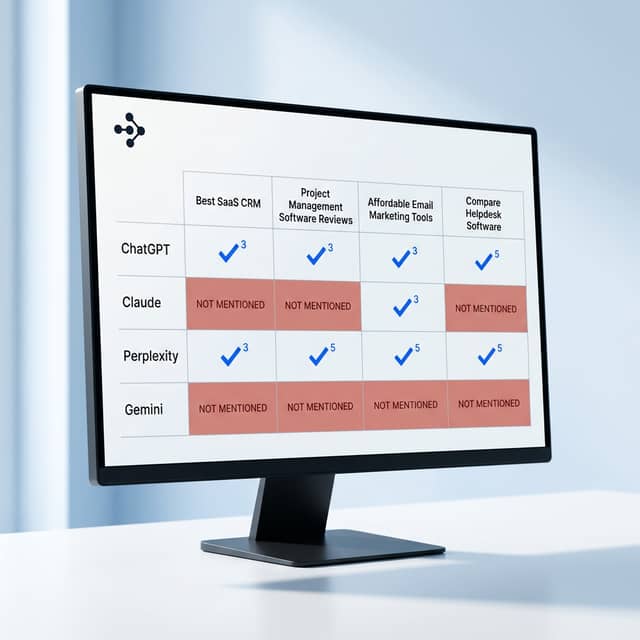
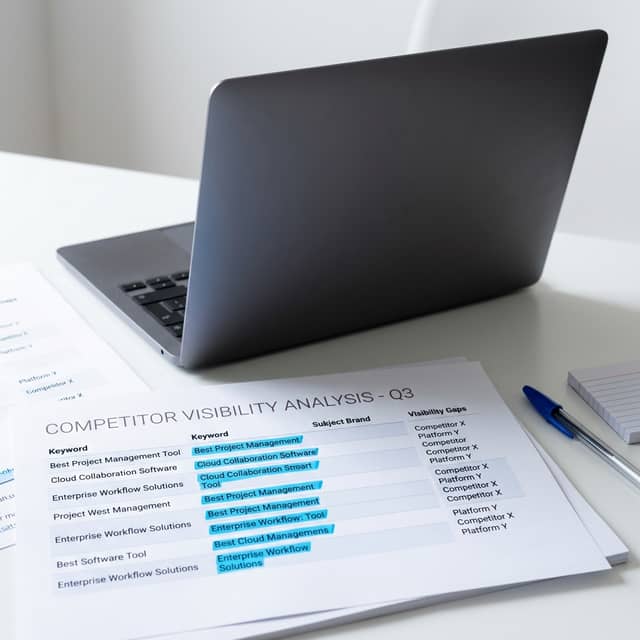
Want to see where your competitors are being cited instead of you? Request a GoBlinkly audit and uncover missed opportunities.
Frequently Asked Questions (FAQs)
What is the difference between crawling and indexing?
Crawling is when search engine bots discover and fetch your pages by following links, while indexing is the separate evaluation process where those fetched pages are analyzed and stored in the search engine's database for retrieval.
How long does it take to index a website?
New pages can be indexed within hours or take several weeks depending on your site's crawl budget, domain authority, content quality, and whether you actively submit URLs through Google Search Console.
Why are my pages not indexed?
Common reasons include noindex meta tags, thin or duplicate content, JavaScript rendering issues that deliver empty HTML to crawlers, and low perceived page quality relative to competing content already in the index.
Can AI engines index my website?
AI engines do not maintain a traditional index but use retrieval systems and web-fetching tools to access, parse, and cite content from pages that are publicly accessible, well-structured, and hosted on authoritative domains.
What indexing strategy works best for enterprise SaaS websites?
The most effective approach combines clean site architecture, server-side rendering, strategic internal linking, XML sitemap management, and ongoing crawl and indexing monitoring to ensure every valuable page earns and maintains its place in both search and AI retrieval systems.